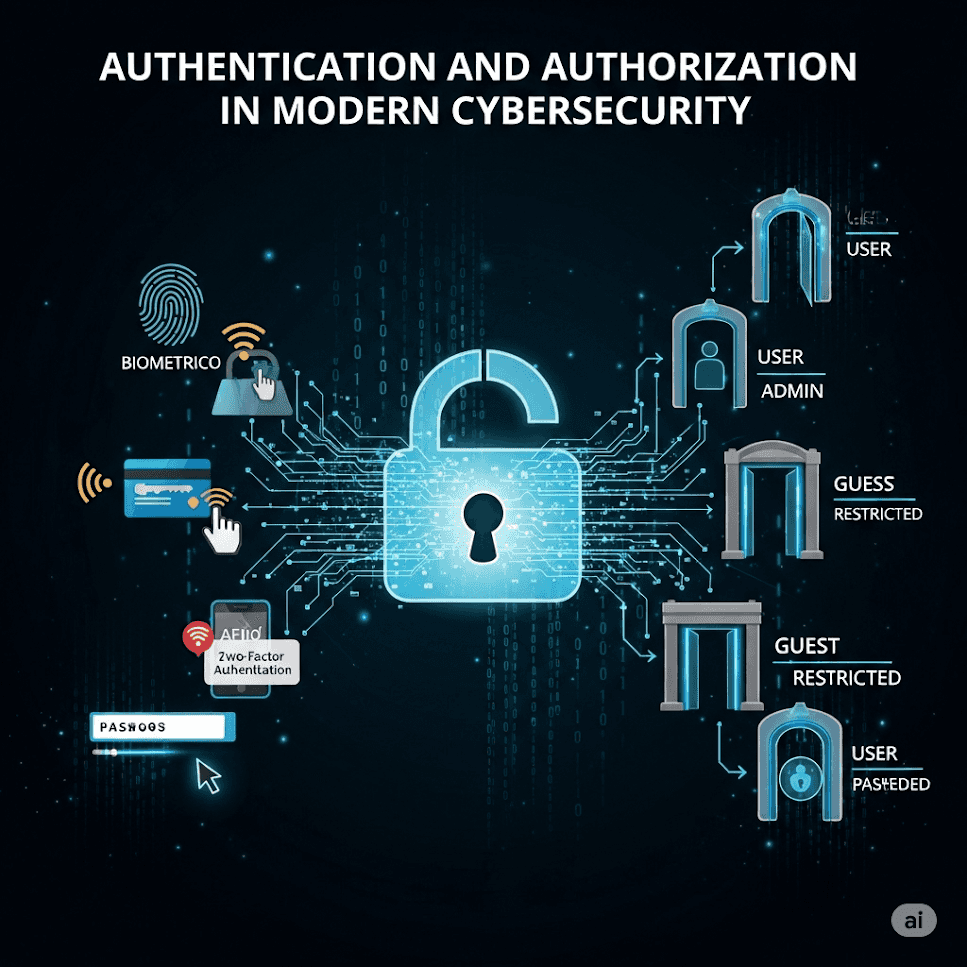
Authentication verifies identity (who you are). Authorization decides what that identity may access or do after login.
Passwordless/FIDO2, OAuth 2.1, OpenID Connect, JWT sessions, and stronger models like ReBAC and Zero Trust for fine-grained access.
Passwords are phished and reused. Passkeys and hardware-backed cryptography reduce credential theft while improving UX.
Authentication (AuthN): The process of verifying the identity of a user or system. It ensures that the entity requesting access is who they claim to be.
Authorization (AuthZ): The process of determining whether a user or system has the right permissions to access a specific resource or perform an action.
| Aspect | Authentication (AuthN) | Authorization (AuthZ) |
|---|---|---|
| Purpose | Verifies who the user is | Determines what the user is allowed to do |
| Example | Logging in with username/password or biometrics | Access control to files, APIs, or admin features |
| Protocols | SAML, OIDC, FIDO2 | OAuth2, XACML, ABAC, RBAC |
| Happens First? | ✅ Yes | 🚫 Only after successful authentication |
Traditional passwords are becoming obsolete due to security risks like phishing and reuse. Passwordless authentication offers a safer and more user-friendly way to log in using biometrics, hardware keys, or device-bound credentials.
FIDO stands for Fast Identity Online. It’s a set of open standards developed by the FIDO Alliance to enable strong, passwordless authentication.
There are two major FIDO protocols:
This is a modern passwordless standard using public-key cryptography. It protects user identity with things like face ID, fingerprints, or security keys.
🧠 In plain terms:
Even biometrics aren’t foolproof. Here are common attack types and how they're mitigated:
| Attack Type | What It Is | Defense |
|---|---|---|
| Deepfake facial injection | Fake face videos used to trick cameras | Liveness detection using AI |
| Fingerprint spoofing | Using fake prints (e.g. gummy fingers) | Multi-sensor tech (capacitive + ultrasonic) |
As quantum computers advance, some current encryption methods could break. Post-quantum algorithms are being developed to stay secure in the future.
| Algorithm | What It Does | Status (NIST) |
|---|---|---|
| CRYSTALS-Kyber | Secure key exchange (like HTTPS) | ✅ Standardized |
| Falcon-1024 | Digital signatures (like signing logins) | 🥇 Finalist |
| SPHINCS+ | Backup option using hash trees | 💡 Backup |
🧠 Takeaway: These algorithms are designed to keep our authentication systems safe—even when quantum computers arrive.
OAuth is a protocol that lets apps access user data without needing the user's password. Instead of logging in directly, the app asks for permission from a trusted Authorization Server.
PKCE (Proof Key for Code Exchange) adds security to stop attackers from stealing authorization codes — especially in mobile and browser-based apps.
🧠 What’s Happening Here:
OIDC builds on OAuth 2.0 and adds identity on top — so it not only authorizes apps, but also tells them who the user is.
OIDC allows identity providers to include external verified data in the ID token.
{
  "id_token": {
    "iss": "https://auth.example.ai",
    "aggregated_claims": {
      "source": "https://healthprovider.com/claims",
      "verified_medical": true
    }
  }
}
🧠 Example: If you're signing in to a healthcare app, OIDC can fetch and include claims (like medical verification) from a trusted health provider — without needing the user to upload documents again.
Automatically registers new devices or apps (like IoT sensors) with the Authorization Server.
This enables mass onboarding of devices using an API call (instead of manual setup).
✅ Example: A smart factory wants to connect hundreds of new IoT devices securely — Dynamic Registration lets them do this programmatically using a registration_client_uri.
As systems grow more complex — with microservices, APIs, and thousands of users and resources — traditional role-based access control (RBAC) is no longer enough. This is where modern, relationship-aware models come into play.
ReBAC makes access decisions based on the relationships between users, groups, resources, and policies — not just roles.
Imagine a rule like:
“Allow a user to access a resource only if they belong to a team that owns the project that contains that resource.”
This is exactly what ReBAC allows — modeling real-world relationships in code.
🧠 Simple Breakdown:
| Tool | What It Does |
|---|---|
| Google Zanzibar | Scalable ReBAC engine used by Google (1B+ users) |
| AWS Verified Permissions | Policy-based access control with ReBAC support |
These systems let you define rich access rules that mirror organizational structure.
You can write access policies using code, so they’re version-controlled, testable, and auditable — this is called Policy-as-Code.
Here’s a policy written in Rego, the language used by Open Policy Agent (OPA):
package healthcare

default allow = false

allow {
  input.method == "GET"
  input.path == ["records", patient_id]
  input.user.roles[_] == "doctor"
  input.user.hospital == patient.hospital  # ReBAC check
}
🧠 What This Policy Says:
This approach enables fine-grained, dynamic, and scalable access control — especially valuable in regulated or complex environments like healthcare, finance, or multi-tenant SaaS apps.
Modern authentication and authorization systems aren’t just for websites — they power autonomous vehicles, virtual worlds, AI ecosystems, and more. Let’s explore a few real-world examples.
// Attribute-Based Access Control (ABAC) policy
{
  "Effect": "Allow",
  "Action": "vehicle/start",
  "Condition": {
    "Bool": {"user.mfa_passed": true},
    "Time": {"After": "06:00", "Before": "22:00"},
    "Location": {"Within": "geo:37.7,-122.4;r=50000"} // 50km geo-fence around SF
  }
}
🧠 In Simple Words:
The car can only start if:
💡 Useful for ride-hailing fleets, logistics, and safety-critical deployments.
The metaverse is a network of 3D virtual environments where people can interact, work, play, trade, and own digital assets — often using avatars, VR/AR devices, and blockchain-based identities.
Think of it as a digital universe made up of:
🔐 In this world, digital identity and ownership are crucial — and that’s where modern authentication comes in.
The user signs in using a Web3 wallet (e.g., MetaMask or WalletConnect).
The authentication system issues an OIDC id_token containing the user’s DID:
did:ethr:0xabcd...1234
The resource server (e.g., a virtual mall, art gallery, or avatar marketplace) verifies the DID via a blockchain-based resolver to ensure the token is valid and belongs to the right user.
🧠 Why It Matters:
💡 Perfect for applications like:
In AI-driven systems (e.g., smart assistants, automation platforms), agents need to securely call each other’s APIs — but there’s no human to log in.
🧠 How It Works:
✅ Enables secure, autonomous decision-making between agents at scale.
Even the most modern authentication and authorization systems are targets for attackers. Understanding common threats — and how to stop them — is essential for keeping users and data safe.
OAuth and OIDC are widely used for login and authorization, but they can be misused if not properly secured.
| Attack | What It Is | 2025 Mitigation |
|---|---|---|
| Token Replay | An attacker steals a token and reuses it to access resources | Use DPoP (Proof-of-Possession) to tie token to device |
| JWT Injection | Attacker modifies or fakes a JWT to gain unauthorized access | Enforce strict aud (audience) checks and sandboxing |
| Phantom Token | App gets a token it shouldn't see or use | Bind tokens to TLS certificates so they're only valid over secure channels |
| Consent Phishing | Fake app mimics a real one to trick users into giving access | Improve UI with risk indicators on consent screens |
DPoP (Demonstrating Proof-of-Possession): Adds a cryptographic proof that the token belongs to the device making the request. Stops token theft from being useful.
JWT Sandbox & Audience Validation: Ensures tokens are only accepted by the service they were meant for. No “token swapping” across services.
Token Binding: Tokens are tied to a specific TLS session (like HTTPS lock icon). Even if stolen, they won’t work elsewhere.
Consent Screen Hardening: Make it easier for users to tell real apps from fake ones — with warnings, logos, and access explanations.
SAML is an older but still widely used protocol for enterprise SSO (Single Sign-On). Like OAuth, it needs protection against token tampering and impersonation.
SAML assertions (like "this user is logged in") are now protected using:
This ensures only the intended recipient can read the authentication data.
This XML shows how digital signatures are used to verify that a SAML message is genuine and hasn’t been altered.
<saml:Assertion xmlns:ds="http://www.w3.org/2000/09/xmldsig#">
  <ds:Signature>
    <ds:KeyInfo>
      <ds:X509Data>
        <ds:X509Certificate>...</ds:X509Certificate>
      </ds:X509Data>
    </ds:KeyInfo>
  </ds:Signature>
</saml:Assertion>
🧠 In Simple Words:
As systems scale and security tightens, speed and trust become equally important. This section shows how to optimize authorization performance while applying Zero Trust principles — where no user, device, or app is trusted by default.
Authorization can’t slow down user experience — especially for high-traffic APIs or global apps.
Problem: Some JWT tokens (like access tokens) can grow larger than 4 KB, especially with lots of claims or permissions.
Solution: Split the JWT into smaller parts:
These fragments can be processed more efficiently, stored in cache, or transmitted over systems that limit header size.
💡 Why it matters: Prevents token bloat from breaking requests or degrading performance — especially in microservices and cloud edge layers.
Push AuthZ checks closer to the user, so decisions happen fast — near the network edge (e.g., on a CDN or gateway).
🧠 How it works:
✅ Benefits:
Zero Trust means "never trust, always verify" — every user, device, and app must continuously prove it’s legitimate.
Here’s how modern systems enforce Zero Trust:
🧠 Like a digital "passport" showing the device is trusted.
Doesn’t just check identity at login — monitors behavior during the session:
If something feels off, it can lock out the session or re-prompt for verification.
💡 Why it matters: Stops session hijacking even after login.
🧠 Imagine a building where every room has its own lock and camera, not just the front door.
✅ Stops attackers from moving laterally if they get inside.