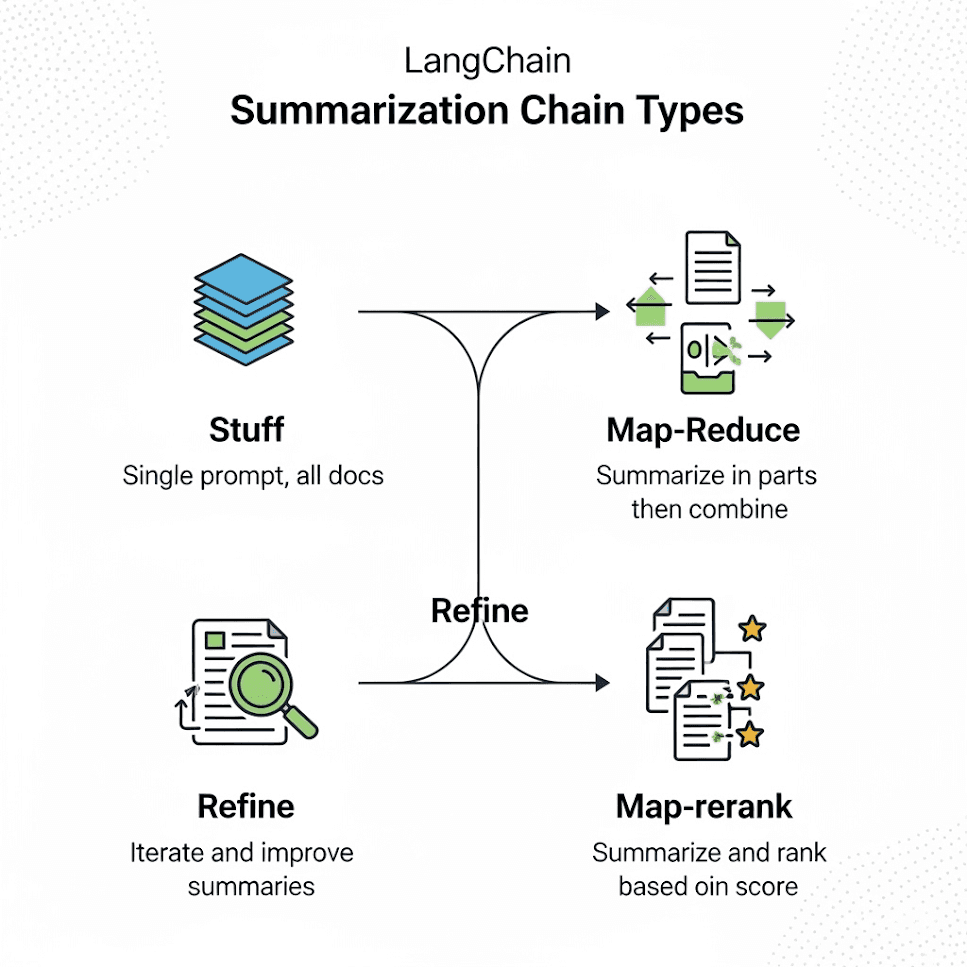
Common types are stuff, map_reduce, refine, and map_rerank—each balancing speed, coherence, and document length differently.
map_reduce parallelizes chunk summaries for large docs. refine sequentially updates one summary for higher coherence on narrative text.
When the full document fits the model context window—stuff is fastest and usually most coherent for short inputs.
LangChain provides four main chain types for document summarization, each optimized for different scenarios. Choosing the right one depends on:
| Chain Type | Best For | Speed | Coherence | Scalability |
|---|---|---|---|---|
map_reduce | Large documents, parallel processing | ⚡⚡⚡ | Medium | ✅ High |
refine | Context-heavy documents (books, research) | ⚡⚡ | High | ❌ Sequential |
stuff | Short documents (fits in context) | ⚡⚡⚡⚡ | High | ❌ Small docs |
map_rerank | Query-focused summaries (filtering noise) | ⚡⚡ | Medium | ✅ Medium |
map_reduce (Parallel Processing)Use Case:
Pros:
✔ Fast (parallel processing)
✔ Memory efficient
Cons:
✖ May lose context between chunks
✖ Can sound disjointed
refine (Sequential Refinement)Use Case:
Pros:
✔ Maintains context flow
✔ More coherent (reads like a single doc)
Cons:
✖ Sequential (slower for huge docs)
✖ Early bias (if first summary misses key points)
stuff (Single-Prompt Summarization)Use Case:
Pros:
✔ Simple
✔ Best for short docs
Cons:
✖ Fails for large docs (token limits)
✖ Overwhelms model with too much input
map_rerank (Query-Focused Summaries)Use Case:
Pros:
✔ Good for query-based summaries
✔ Filters noise
Cons:
✖ More compute-heavy
✖ Not needed for generic summaries
Tested on:
| Metric | map_reduce | refine | stuff | map_rerank |
|---|---|---|---|---|
| Time (sec) | 28 | 92 | 5 | 45 |
| Coherence | 6/10 | 9/10 | 8/10 | 7/10 |
| Relevance | 7/10 | 8/10 | 9/10 | 9/10 |
| Max Doc Size | ∞ | ~50K tokens | ~4K tokens | ∞ |
Key Takeaways:
map_reduce: Fastest for big docs but sacrifices flowrefine: Slowest but most coherent for narrativesstuff: Instant but fails on large docsmap_rerank: Balances speed & relevance for query-focused tasksrefine Chain)from langchain.chains import load_summarize_chain
from langchain.llms import OpenAI
llm = OpenAI(temperature=0)
chain = load_summarize_chain(llm, chain_type="refine")
docs = text_splitter.create_documents([long_text])
summary = chain.run(docs) # Slow but coherent
map_reduce Chain)const chain = loadSummarizationChain(model, {
type: "map_reduce",
combineMapPrompt: "Summarize this: {text}",
combinePrompt: "Combine these: {text}",
});
const res = await chain.call({ input_documents: chunks }); // Fast but choppy
Scenario-Based Recommendations:
| Scenario | Best Chain |
|---|---|
| Summarizing a book | refine |
| Processing 100-page PDF | map_reduce |
| Short news article | stuff |
| Extracting key insights | map_rerank |
Pro Tips:
refine (even if slow)map_reduce + post-editingmap_rerank with relevance thresholdstuff for large docs (fails silently)Final Verdict:
| Chain | Best When... | Avoid When... |
|---|---|---|
map_reduce | Speed is critical | Narrative coherence matters |
refine | Context is king | Dealing with huge PDFs |
stuff | Summarizing emails/short articles | Input >4K tokens |
map_rerank | Extracting specific insights | Generic summaries |
Production Recommendation: Combine map_reduce (first pass) + refine (polish) for large documents.